Oris Pro, free in beta
TL;DR
| What changed | What it means |
|---|---|
| Oris Pro (free in beta) | Type your email in the app, click the confirmation that arrives, and Pro turns on. |
| Three months free when pricing starts | When pricing starts, you get three months of Pro free. |
| Menu bar icon | Start and stop a meeting from the icon, or start one straight into a template. |
| Note templates (Pro) | Pick one of six built-in templates, or build your own, and every recording uses it. |
| Structured notes (Pro) | With it on, each decision or action item carries transcript evidence or is dropped. |
| Template hotkeys (Pro) | Each Pro template can have a global hotkey, and pressing it again ends the meeting. |
| Closing the window hides Oris | Closing the window or pressing ⌘Q hides Oris, so hotkeys and deliveries keep working. |
| Bug fixes | General fixes throughout the app. |
The latest release of Oris is our first foray into pro-based features to support those of you whose weeks run on meetings. And, for a limited time, Oris Pro is free.
Update the app, type your email and click Unlock Pro. You’ll get a confirmation email in your inbox. That one click switches Pro on in the app. There is no license file to keep, no code to paste, and nothing to carry over when you get a new Mac. Once Pro is on, the banner goes away and a small Pro chip sits in the title bar.
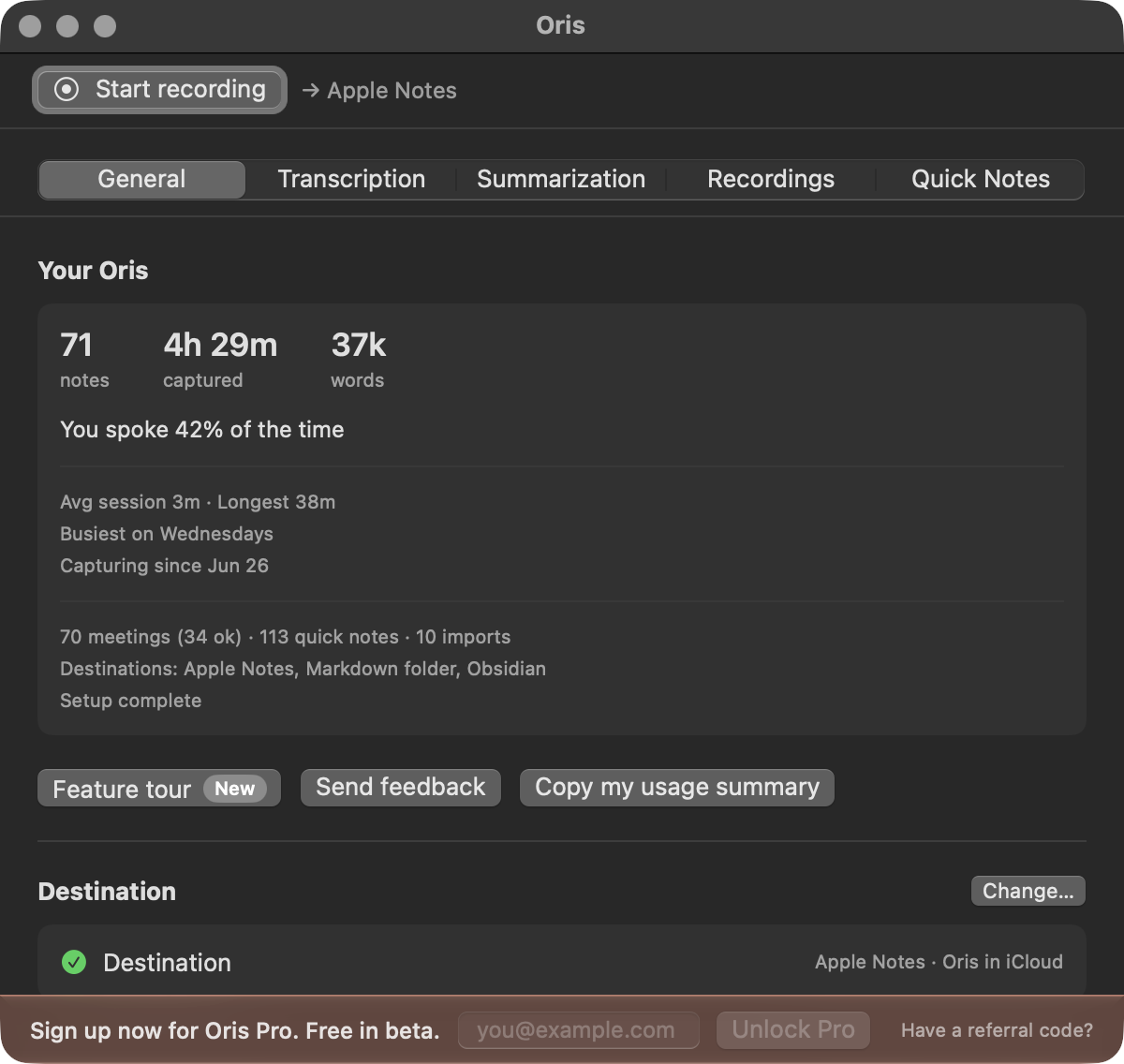
Pro is free for now. When pricing starts, you get three months on us.
So what’s in Pro today?
Note templates
Note templates decide what a summary should contain. Oris ships six built-in templates - the standard summary you’ve been getting, plus shapes for meeting minutes, one-on-ones, sales discovery, interviews and user research, and journaling. Pick the one that matches the meetings you actually record, and every recording, import, and retry from then on comes back with those headings.
None of the built-ins fit? DIY by duplicating a template and editing it, or create a custom one. Sections are typed fields with hints and a required flag. There’s a Preview button that runs a real summary against a sample transcript before you save anything, so you find out what a template reads like without spending a meeting on it. And a single destination can carry its own template, so client calls in one folder can take minutes while everything else stays standard.
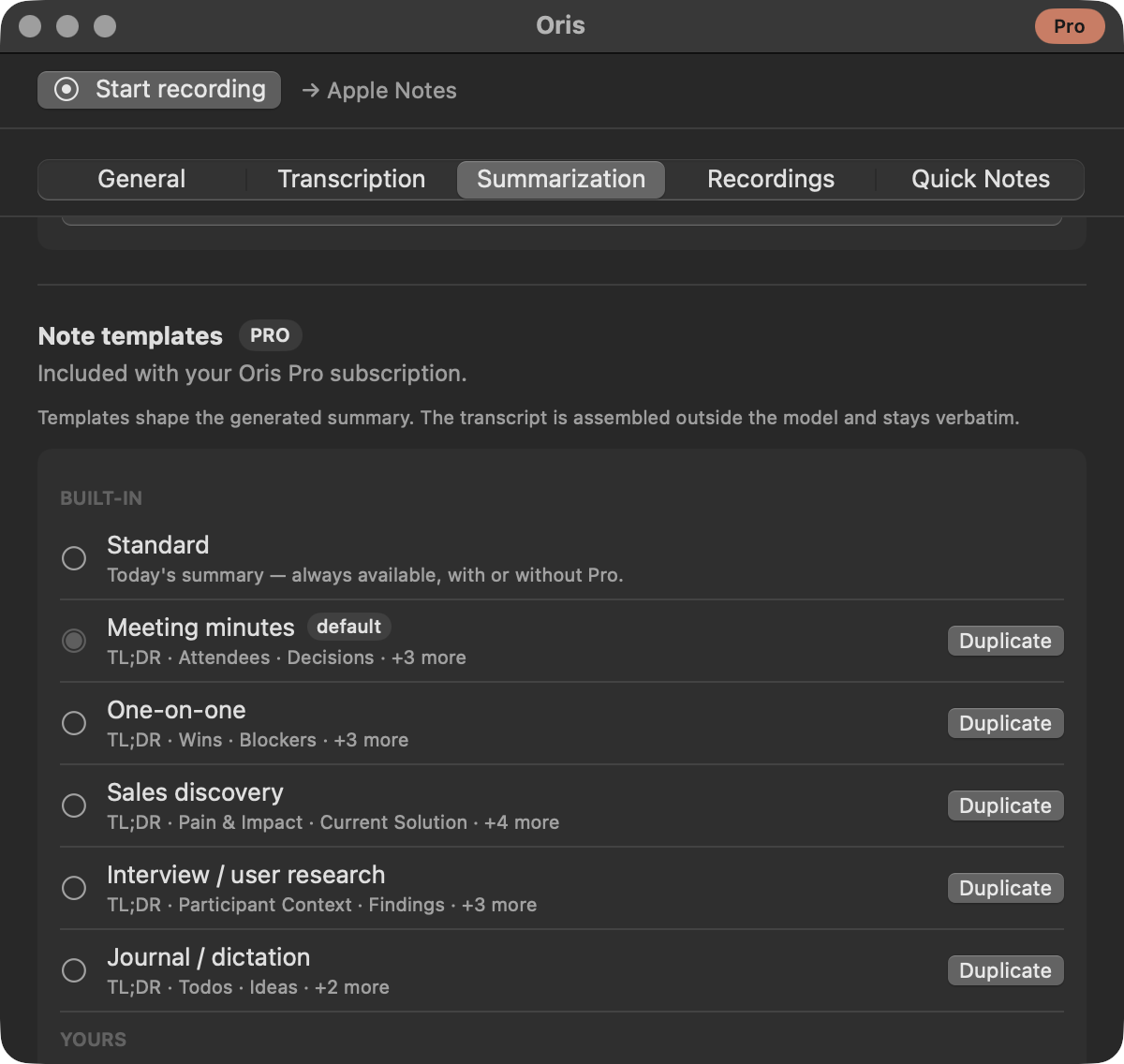
Decisions with receipts
Structured notes is a toggle that changes what Decisions and Action Items are made of. With it on, extraction reads the transcript under strict rules and replaces those sections with what it can prove: every item has to carry evidence from the conversation, owners and due dates appear only when someone actually said them, and anything the transcript can’t back up is dropped rather than shipped. When extraction has nothing to deliver, the model’s ordinary prose stays put, so a note with the toggle on is never worse than one without it.
### Action items
- [ ] Write the spec for the CSV format — **me**, by Wednesday — _"I'll write the spec for the CSV format by Wednesday."_ (me, 02:12)
Extraction requires a stronger model than short summaries do, so it runs on the larger on-device model (a Mac with 16 GB of memory or more) or any other provider you’ve set up. When neither is available, Oris skips extraction and your notes stay exactly as they were.
Oris lives in the menu bar now
Free users rejoice, this is the other half of the release. Oris now has a menu bar helper icon when the app launches, and that icon is where recording lives. Start a meeting from it, stop one from it, or open its templates list and start a recording straight into one, so a one-on-one is captured as a one-on-one. Every pro template can carry a global hotkey, which works from any app, and pressing the same combination again ends the meeting.
The icon colors tell you the state of a record and you can click it to see the state. Additionally, there’s an elapsed-time counter as an opt-in toggle for anyone who wants it (and off for anyone sharing their screen).
The app itself stays out of the way now. Closing the Oris window, or pressing ⌘Q, hides it rather than quitting it, so the Quick Note hotkey keeps working and Apple Notes deliveries keep landing with nothing on screen. Clicking Oris in the Dock, or choosing Open Oris from the icon, brings the window back. When you actually want it gone, Quit Oris from the icon or Quit on the Dock tile stops any running recording first, then quits both the icon and the app.
The rest of the release
Note destination is now a setting. The General tab has a Destination section showing where notes land, and letting you pick a new one from the same three cards onboarding shows. Notes already queued for the old destination keep going to the previous location.
Quick notes got quieter. A quick note that lands has its audio deleted on the spot. The audio Oris deliberately keeps when something goes wrong now ages out under the same retention setting as your meeting recordings, swept when your next quick note starts. macOS still clears its temporary files on its own schedule.
Quick notes got… quicker. The speech model starts loading the moment you begin talking rather than when you stop, so for most notes the wait at the end is just the transcription itself.
Oris checks for updates once a day, so this build is on its way to you — or grab it now from the Oris menu’s Check for Updates. Open the app, type your email into the banner, and go record something without worrying about taking notes.